
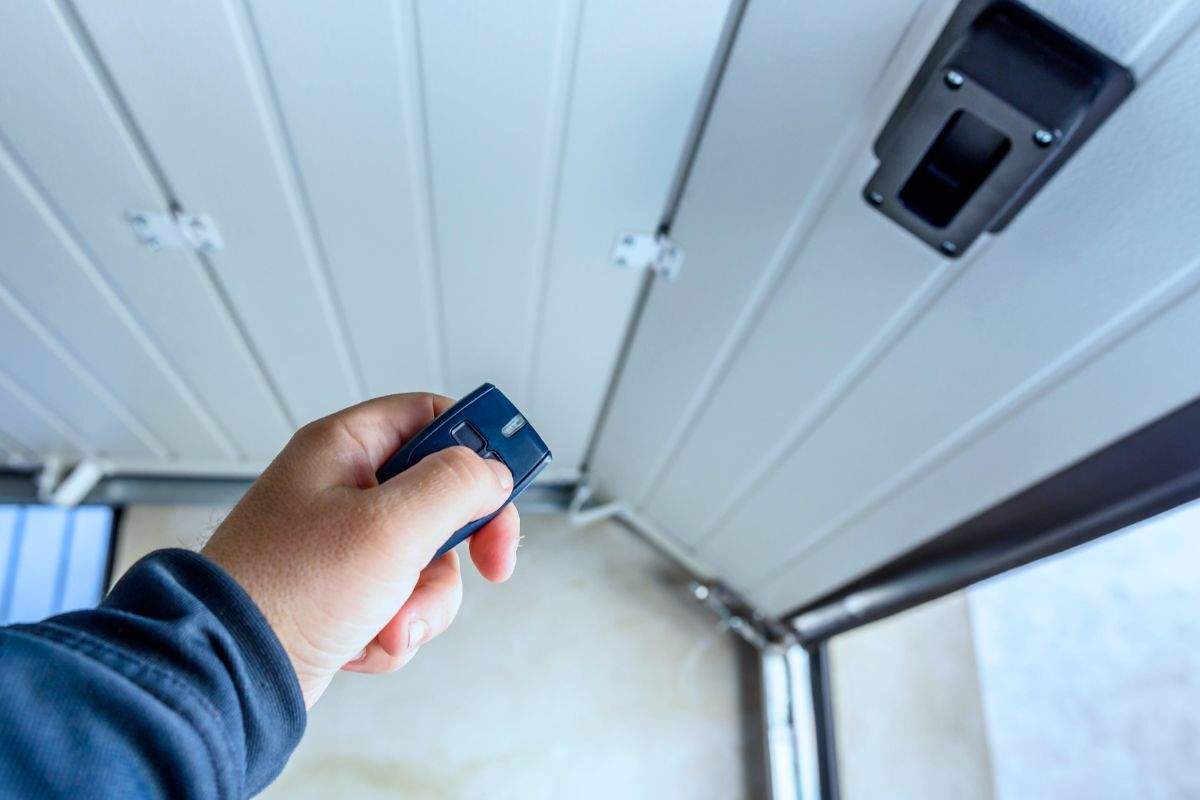
A smart garage door opener lets you open, close, and monitor your garage door from your phone while keeping the same core safety and mechanical operation. It works through a mobile app (usually over Wi-Fi) that sends a command to the opener, plus a door position sensor that confirms whether the door is actually open or closed, so you’re not guessing from across town. Some systems have smart features built into the opener, while others add them by installing a smart garage door controller onto an existing opener. Either way, the goal is the same: reliable door hardware, a dependable opener, and smart control that adds status, alerts, and access management.
How does a smart garage door opener work?
Smart control works by translating a command from a mobile app into the same electrical “button press” signal that a wall button would send to the opener. The opener still does the lifting, and the garage door hardware still determines how smoothly and safely the door moves.
The difference between a smart garage door opener and a smart garage door controller is where the “smart” logic lives. An integrated smart opener includes the connectivity and app platform inside the opener, while a smart controller is an add-on module that connects to the opener and pairs with a sensor to confirm door position.
What daily smart features should you set up first?
The best “day one” features are the ones that reduce risk and uncertainty, because they prevent the most common real-life failure mode: leaving the garage door open without realizing it.
- Door movement alerts reduce uncertainty about door status
- Door-left-open alerts prevent accidentally open doors
- Auto-close timers limit the time the door remains open
- Nightly close schedules enforce a routine security baseline
- Activity logs attribute open and close events to users or devices
How do voice control and automations work safely?
Voice control works through a smart home platform that links your opener account (or local hub) to a voice assistant, then exposes limited commands like “close.” Many platforms restrict “open by voice” because spoken commands can be overheard, so they require additional verification or allow only closing for safety.
Automations work by using triggers, such as time, location, or another device state, to run actions like turning on lights when the garage door opens. Geofencing can auto-open when you arrive, but it’s safest when it includes a “2-signal” rule, such as arriving plus being connected to home Wi-Fi, so the door doesn’t open from a GPS mistake.
How do you share access without losing control?
Access sharing stays safe when you avoid shared passwords and instead share access through named users or guest permissions. That approach lets you revoke access cleanly when someone changes phones, a guest visit ends, or a service provider no longer needs entry.
Reliability improves when each person uses their own account on their own phone, because it reduces login conflicts and makes activity logs meaningful. If a phone has no cellular service, control can still work if the phone can reach the internet over Wi-Fi, and local Bluetooth or local-network control can add resilience when supported.
What are the benefits of a smart garage door opener?
The main benefits are visibility, control, and fewer “did I leave it open?” moments, which directly reduce security risk and daily friction. Smart systems also support modern household patterns with multiple drivers, deliveries, rentals, and variable schedules by enabling time-based rules and shared access.
New trends in garage doors increasingly bundle smart control with quieter drive systems, battery backup, and better monitoring. The shift is toward “managed access” and “verified status,” so the garage door becomes part of the home security and routine-automation systems.
What happens during a power or internet outage?
During a power outage, a standard opener won’t run unless it has a battery backup, but the door can still be operated manually using the emergency release if it’s safe to do so. A battery backup opener keeps the motor running for a limited number of open/close cycles, and failing backups show up as reduced cycle capacity, warning beeps, or status alerts in the app or wall console.
During an internet outage, local controls like the wall button and RF remotes usually keep working because they don’t need the cloud. App control depends on whether the system supports local network control; cloud-only systems may lose remote access until the internet returns, but the door itself remains operable through local inputs.
Can I make my garage door smart safely?
You can make a garage door smart by adding a smart controller to a compatible opener or by replacing the opener with an integrated smart model. Adding Wi-Fi to an older opener usually means installing a controller plus a door position sensor, because the sensor is what prevents the app from guessing whether the door is open.
The safest modernization keeps all safety features intact, especially the photo-eye safety sensors and the opener’s force-reversal behavior. Any solution that disables safety sensors to “make it work” trades convenience for real injury risk, so it’s the wrong direction even if it seems like a quick fix.
Will a smart controller work with my existing garage door opener?
Compatibility depends on how your opener accepts control signals and whether the controller supports your opener’s wiring and radio logic. The quickest check is to confirm your opener’s brand and model, then verify that the controller lists it as supported and that the controller can be wired to the opener’s wall button terminals.
Older doors are usually compatible because the “door” is mechanical, while the “opener” is the electrical device that needs matching. A smart home hub is optional in many setups, but it becomes important when you want Zigbee/Z-Wave/Thread reliability, local automation, or centralized control across multiple smart devices.
Do I need Wi-Fi in the garage for a smart opener to work?
Most smart garage door openers work best on 2.4 GHz Wi-Fi because it travels farther and penetrates walls better than 5 GHz, even though 5 GHz can be faster at short range. Range depends on obstructions and interference, so a garage at the edge of coverage often needs a mesh node or access point placed closer to the garage, not just a distant extender.
The most reliable upgrade is to improve the network at the garage with mesh Wi-Fi, a hardwired access point, or a well-placed node, then keep the opener on the stable band it supports. If the signal is marginal, you’ll see offline events, delayed notifications, and “no response” errors.
Do smart home standards and platforms matter?
Standards matter when you want long-term flexibility and fewer app silos. Matter can improve interoperability across ecosystems, while HomeKit support matters when your household prefers Apple-based control, automations, and permissions.
The practical decision is whether you want to manage the garage in one platform with other devices like locks, cameras, and lights. When that’s the goal, choosing a system that integrates cleanly with your preferred platform reduces friction and avoids re-buying later.
What opener type should you choose for noise and performance?
Noise depends mostly on drive type and door condition. Belt drive systems are typically quieter than chain drive systems, while chain drives tend to be durable and cost-effective; both can work well when the door is balanced, and rollers and hinges are in good condition.
Smart features usually do not change door speed because speed is primarily controlled by the opener motor and gear design, but a loud opener often points to vibration, loose mounting, worn rollers, or an unbalanced door that forces the opener to work harder.
- Belt drive reduces vibration and noise
- Chain drive trades quiet operation for rugged durability
- Door balance and rollers influence noise more than “smart” features
- Loose mounting amplifies rattle and hum
Is it worth upgrading to a new smart opener vs adding a retrofit module?
Upgrading makes sense when the opener is near end-of-life, lacks modern safety and convenience features, or struggles with a heavy door. A retrofit module is often enough when the opener is mechanically sound, and you mainly want app control, alerts, and logs.
Side-mount (jackshaft) openers can be a strong option when you want ceiling space back or have high-lift setups, but they still depend on a well-balanced door. Multi-door control depends on the system; many platforms support two doors with separate controllers and sensors, and the most useful features tend to be reliable alerts, access sharing, and stable connectivity rather than novelty integrations.
Which smart garage door opener products are worth considering?
The best choice usually comes down to whether you’re adding smart control to a working opener or replacing the opener entirely, and whether you want to be locked into one app ecosystem. In particular, newer openers from Chamberlain Group using Security+ 3.0 can block many third-party “retrofit” smart controllers that previously worked (especially for Apple Home / broader smart home integrations).
Retrofit controllers (keep your existing opener):
- Meross: Solid basic app control, alerts, sharing; good value.
- Tailwind iQ3: Best if you want stronger automations and “rules.”
- Genie Aladdin Connect kit: A mainstream retrofit option tied to Genie’s platform.
- myQ Smart Garage Control: Best if you already live in the myQ ecosystem and your opener is compatible.
Full smart opener replacements (new opener):
- Chamberlain smart belt-driv: Strong all-around replacement if you’re fine with myQ.
- Genie smart belt-drive (Aladdin Connect): A good alternative ecosystem to myQ.
- LiftMaster wall-mount (jackshaft): Premium option when you want ceiling space back, and your door setup supports it.
Important compatibility note: some newer Chamberlain/LiftMaster models can block many third-party retrofit controllers, so always verify compatibility by brand + model before buying.
Can a door’s condition affect smart opener reliability?
A smart controller can only be as reliable as the door system it’s controlling. A heavy or unbalanced door increases current draw, strains the motor, and triggers safety reversals, which look like “smart problems” but are actually door hardware needing adjustment.
Common signs of a failing motor include inconsistent movement, grinding noises, overheating, or a door that stops under load. Many openers last for years with routine maintenance, but their lifespan depends on cycle frequency, door weight, environment, and whether the door is balanced and lubricated.
How to install a smart garage door opener?
A clean installation starts with safety: confirm the door moves smoothly, keep your hands clear of moving parts, and never alter the safety sensor system. The installation process differs for a full opener replacement versus adding a smart controller, but both require stable mounting, correct wiring, and accurate door sensing.
- Safety check verify door travel is smooth and balanced
- Mounting the opener or controller to a solid structure
- Wiring connects the controller to the opener wall-button terminals for retrofit setups
- Sensor setup places the door position sensor correctly
- Testing confirms close-force reversal and photo-eye reversal
- App setu,p configure users, alerts, and auto-close rules
How do you connect a smart garage opener to Wi-Fi and finish setup?
Wi-Fi setup usually requires 2.4 GHz, a strong signal, and correct phone permissions during onboarding. Connection failures often come from a weak signal, a router blocking device onboarding, or the phone switching networks mid-setup.
“Learn” mode refers to pairing logic inside the opener that registers new remotes or smart modules. Pairing is typically a timed process where pressing the opener’s learn button allows the controller to be recognized, after which the app can send commands through the controller.
How do you set up sensors and an accurate door status?
Accurate door status comes from installing the door position sensor where it reliably reflects true door movement, then calibrating the app so “open” and “closed” match reality. Tilt sensors usually mount on the top panel, while contact sensors need correct magnet alignment, and both depend on secure mounting to avoid drifting readings.
Calibration is important because status accuracy is what makes alerts, schedules, and auto-close safe. If the status is wrong, the system can notify incorrectly or refuse to close, so sensor placement and confirmation testing matter more than most people expect.
How do you reset or move a smart opener to a new network?
Resetting clears stored Wi-Fi credentials and, sometimes, device pairing, so it’s the cleanest way to move the system to a new router. The practical sequence is to reset, reconnect to the new network, and then re-check all alerts, schedules, and shared access permissions.
A network change is also a good moment to improve security by rotating passwords and enabling multi-factor authentication if the platform supports it. That keeps old credentials from remaining valid after a reset or ownership change.
What are the most common smart garage door problems and fixes?
Most issues fall into three buckets: connectivity, sensing, or door hardware. Connectivity problems show up as offline status or “no response,” sensing problems show up as wrong open/closed state, and door hardware problems show up as reversals, partial movement, or unusual noise that the smart app can’t fix.
- Offline device: Improve Wi-Fi strength, node placement, or router settings.
- Delayed notifications: Confirm app permissions and background settings.
- Wrong status: Re-check sensor mounting and calibration.
- Command delay: Reduce interference and improve signal quality.
- Random disconnects: Stabilize power and network; surge protection helps.
- “No response”: Confirm internet availability and service status.
Why won’t my door close after installing smart control?
A door that won’t close or reverse is usually reacting to safety logic, not “smart logic.” Misaligned or blocked photo-eye sensors are the most common cause, and sunlight, dust, or a bumped bracket can interrupt the sensor beam, forcing reversals.
Bypassing safety sensors is unsafe because those sensors exist to prevent entrapment, and many jurisdictions require them for residential openers. The correct fix is cleaning the lenses, aligning the sensors so indicators show a steady “clear” state, and confirming the door travels freely without binding.
What are the security features of a smart garage door opener?
Smart opener security is a combination of device security, account security, and home network security. Wi-Fi control can be very safe when protected by strong authentication and encrypted connections, but it becomes risky when accounts share passwords, devices lack updates, or home Wi-Fi is poorly secured.
- Unique user accounts reduce shared credential risk
- Strong passwords and MFA block simple account takeovers
- Access logs detect unexpected activity
- Time-limited guest access limits the exposure window
- Secure home Wi-Fi protects device communications
- Firmware updates patch known vulnerabilities
- Rolling-code remotes reduce replay and cloning risk compared to fixed codes
- Rapid revoke processes stop lost phone or former user access
If you suspect unauthorized access, the fastest containment is to revoke all shared users, change the account password, enable MFA, rotate Wi-Fi credentials if needed, and re-pair remotes/controllers so old pairings don’t persist.
How much do smart garage door openers cost?
Most smart garage door setups fall into two cost tiers: retrofit controllers or full opener replacements.
Retrofit smart controllers typically cost about $30–$100+ if your existing opener is in good condition. Full smart garage door openers usually range from $200–$470+, depending on features like Wi-Fi, battery backup, cameras, and lighting. With installation included, total costs commonly land between $218–$539 on average, while accessories such as battery backups, keypads, and locks can add $50–$300 each.
What privacy and subscription questions should you check before buying?
Some smart garage platforms offer core app control for free and reserve advanced features like enhanced integrations, extended video storage, or special delivery workflows for paid plans, and those policies can change over time. The safest buying habit is to confirm which features require an account, which features require a subscription, and what happens to basic operation if the company changes pricing or sunsets a cloud service.
Privacy depends on where data lives and what is collected. Door event history and activity logs stored in the cloud, geofencing store location triggers, and export/delete options vary, so it’s worth choosing a platform that matches your comfort level with data retention and account dependence.